


2026 Update: USB-C wall sockets and multi-plugs are becoming one of the most practical upgrades for South African homes, offices, bedrooms and workstations. As more phones, tablets, laptops, earbuds, gaming devices and accessories move over to USB-C charging, older plug setups with bulky adapters can quickly become frustrating and cluttered.
If you are tired of hunting for charging bricks, fighting over plug points, or running multiple adapters from one wall socket, a 16A multi-plug with USB-C and USB-A is a simple, useful upgrade. It gives you standard South African plug points plus direct USB charging in one neat unit.
At Future Light, we focus on practical lighting and electrical products that make everyday spaces easier to use. A USB-C multi-plug is especially useful in home offices, bedrooms, lounges, reception counters, student rooms and shared workspaces where several devices need power at the same time.
Why upgrade to a plug with USB-C in 2026?
A plug with USB-C is worth upgrading to because modern devices increasingly use USB-C as the charging standard. Many newer smartphones, tablets, wireless earbuds, power banks, gaming devices and accessories now rely on USB-C cables. Having a direct USB-C port on your multi-plug makes charging easier and reduces the need for separate adapters.
The biggest everyday benefit is convenience. Instead of filling your wall socket or extension plug with charging bricks, you can plug compatible USB-C and USB-A cables directly into the multi-plug. This keeps the setup neater and frees up the main power sockets for lamps, monitors, routers, printers, chargers and small appliances.
For South African homes and offices, this is especially helpful because workstations are often shared by laptops, phones, lights, Wi-Fi equipment and backup devices. A multi-plug with USB-C helps keep the space organised while supporting the mix of older USB-A and newer USB-C devices most households still use.
- Less clutter: Reduces the number of separate charging bricks needed.
- Modern charging: USB-C supports many newer phones, tablets and accessories.
- More flexible power: Combines RSA sockets with USB charging ports.
- Great for desks: Useful for laptops, monitors, lamps and mobile devices.
- Future-ready: Helps prepare your home or office for more USB-C devices.

What makes USB-C better for everyday charging?
USB-C has become popular because it is compact, reversible and widely used across modern devices. Unlike older USB connectors, a USB-C cable can be plugged in either way, which makes it easier to use at a desk, bedside table or charging station.
USB-C also supports higher power delivery in many modern charging systems, depending on the device, cable and charger output. That does not mean every USB-C port charges every device at maximum speed, but it does mean USB-C has become the more capable and future-focused connector type for many devices.
For everyday use, the practical benefit is simple: one charging standard can cover more of your devices. If your household has a mix of USB-C phones, USB-A cables, tablets, Bluetooth speakers and accessories, a multi-plug with both USB-C and USB-A ports gives you more flexibility than a standard plug-only extension.
- Reversible connector: Easier to plug in without checking cable direction.
- Modern device support: Common on newer phones, tablets and accessories.
- Cleaner setup: Fewer loose charging adapters on the desk or floor.
- Mixed compatibility: USB-C and USB-A together cover more cables.
- Useful charging hub: Great for shared spaces and workstations.
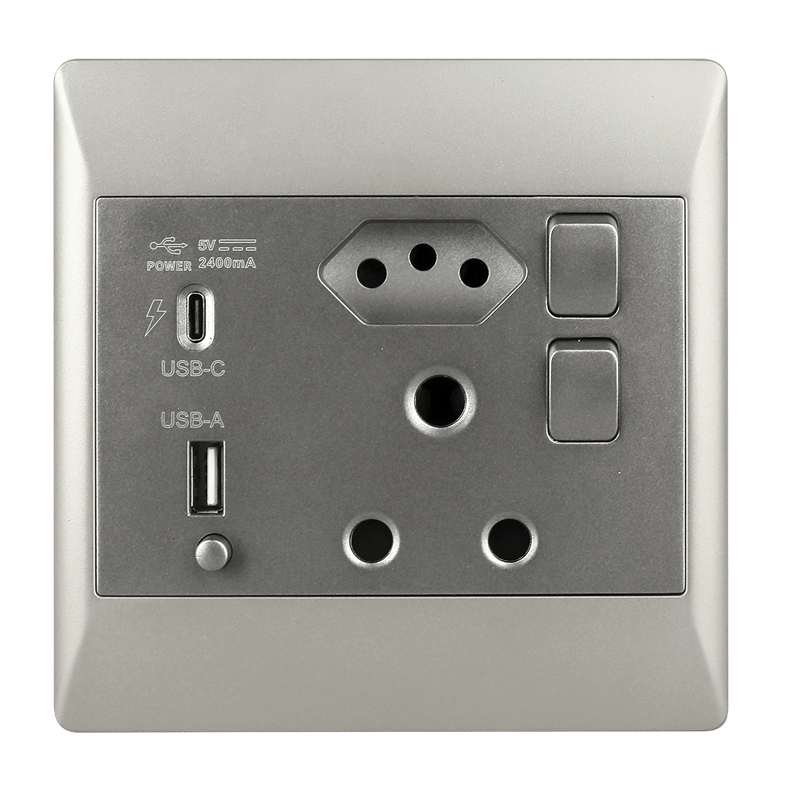
Top choice: 16A Multi-Plug with USB-C and USB-A
If you want a practical USB-C charging upgrade for your home or office, the 16A Multi-Plug with USB-C and USB-A is a strong choice. It combines four South African power sockets with built-in USB-C and USB-A charging ports, making it useful for modern mixed-device setups.
This is particularly handy in spaces where you need to power traditional plug-in items and charge mobile devices at the same time. A home office might need a monitor, laptop charger, desk lamp, Wi-Fi device and phone charger. A bedroom might need a bedside lamp, phone charger, tablet charger and fan. A single multi-plug helps organise that power demand more neatly.
The 16A capacity makes it suitable for general household and office use when used correctly. As with any electrical product, the important thing is not to overload it. Use it for appropriate devices, check product specifications, and avoid running too many high-load appliances from one point.
- 4 RSA power sockets: Supports standard South African plugs.
- USB-C and USB-A ports: Useful for newer and older charging cables.
- 16A capacity: Practical for everyday home and office setups.
- Space-saving design: Helps reduce extra adapters and charging bricks.
- Versatile use: Suitable for desks, bedrooms, lounges and workstations.

Where should you use a USB-C multi-plug?
A USB-C multi-plug is useful anywhere multiple devices need power in one place. It works particularly well in home offices, bedrooms, lounges, student rooms, gaming setups, reception desks, workstations and small business counters.
In a home office, it can power a laptop charger, monitor, desk lamp and phone charger from one convenient point. In a bedroom, it can sit near a nightstand so you can charge your phone, earbuds and tablet while still using a bedside lamp. In a lounge, it can support entertainment devices while still giving easy access to USB charging.
For small businesses, a USB-C multi-plug can help keep counters and desks neater. Reception areas, payment stations, shared work desks and showroom counters often need power for card machines, phones, tablets, lamps and small electronics. A multi-plug with USB-C and USB-A gives more flexibility without adding unnecessary adapters.
- Home offices: Power desk lamps, laptops, monitors and phones.
- Bedrooms: Charge phones and tablets beside the bed.
- Living rooms: Support entertainment systems and device charging.
- Workstations: Keep daily work devices powered and organised.
- Reception counters: Useful for small business and customer-facing setups.
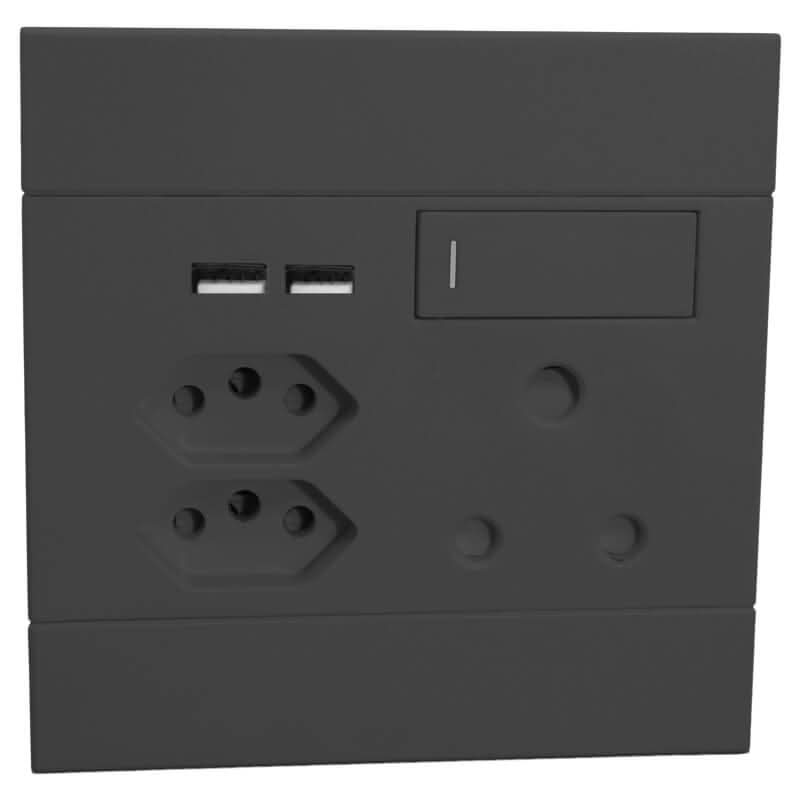
How do you choose the best USB-C wall plug or multi-plug?
To choose the best USB-C wall plug or multi-plug, start by counting what you actually need to power. Look at how many standard plug sockets you need, how many USB-C devices you charge, and whether you still use older USB-A cables.
A good setup should give you enough flexibility without encouraging overload. Four plug sockets plus USB-C and USB-A charging ports can work well for everyday desks, bedrooms and workstations. If you need to power high-load appliances, check the ratings carefully and avoid running too many demanding devices from the same multi-plug.
Also think about placement and cable direction. Some multi-plugs are better suited to desks, while others work better near TV units or bedside areas. Choose a layout that keeps plugs accessible and prevents cables from pulling across walkways.
- Number of sockets: Choose enough RSA sockets for your daily devices.
- USB mix: USB-C and USB-A together offer better cable flexibility.
- Power rating: Check the amp rating and avoid overloading the unit.
- Use case: Match the multi-plug to desks, bedrooms, lounges or counters.
- Cable management: Choose a position that keeps cords neat and safe.
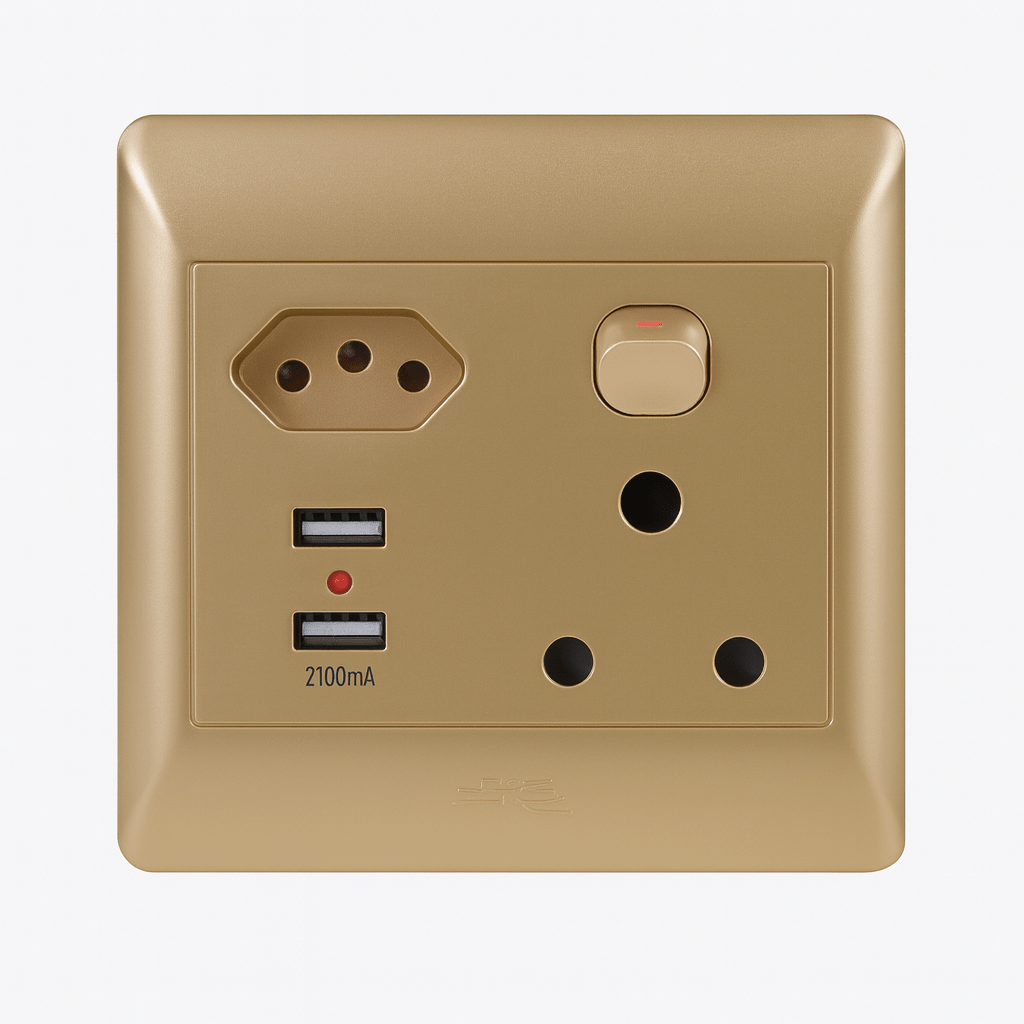
Is a USB-C multi-plug safe to use?
A USB-C multi-plug is safe to use when it is used within its rated capacity and connected correctly. The most important safety rule is to avoid overloading it. Multi-plugs are useful for convenience, but they are not meant to turn one wall socket into unlimited power.
For everyday electronics such as lamps, phone chargers, routers, laptops, monitors and small devices, a properly rated multi-plug can be very practical. For high-power appliances, always check the product rating and the appliance requirements. Avoid using multi-plugs for unsuitable high-load combinations.
It is also important to keep multi-plugs away from water, avoid damaged cables, and make sure plugs are inserted firmly. If the unit becomes hot, smells unusual, sparks, trips power, or shows damage, stop using it and replace it.
- Do not overload: Stay within the rated capacity.
- Avoid water: Keep away from sinks, damp areas and spills.
- Check cables: Replace damaged leads or plugs immediately.
- Use indoors: Unless clearly rated otherwise, keep multi-plugs in dry indoor areas.
- Monitor heat: Stop using any plug that becomes unusually hot.
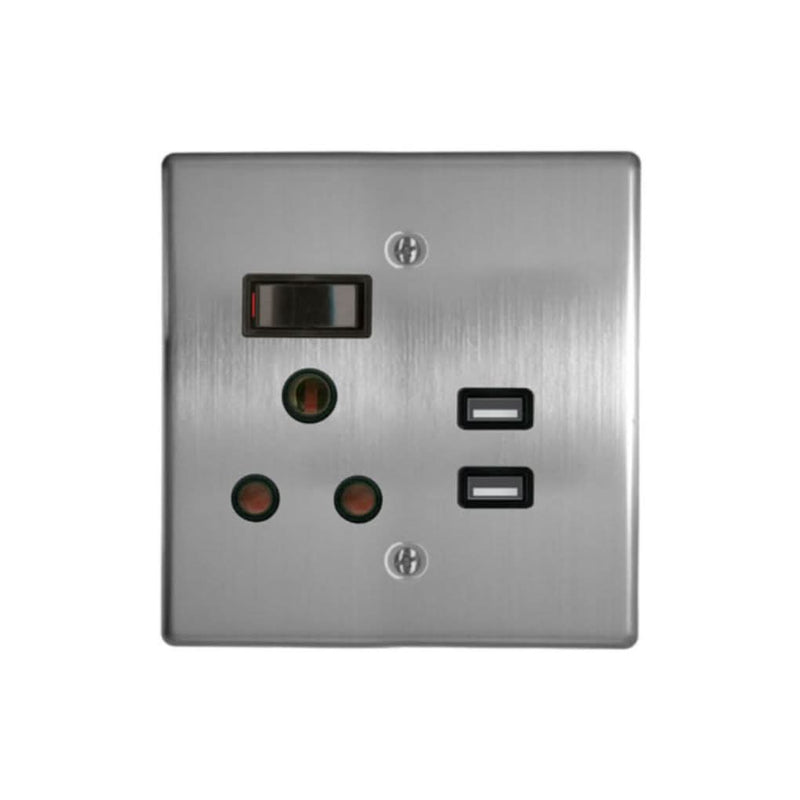
Can a USB-C multi-plug reduce desk clutter?
Yes, a USB-C multi-plug can reduce desk clutter by replacing several loose charging adapters with built-in USB charging ports. This is especially useful if you regularly charge a phone, tablet, earbuds, smartwatch or power bank in the same place.
A neater charging setup makes a desk feel more organised and easier to work at. Instead of bulky plugs blocking adjacent sockets, you can use the standard power points for larger devices and USB ports for charging cables. This is a small upgrade, but it can make a workspace feel much cleaner.
For the best result, pair the multi-plug with shorter charging cables or cable clips. A USB-C port solves the adapter problem, but cable management still matters. Keep cables routed behind the desk or bedside table where possible.
In short: A USB-C multi-plug helps reduce adapter clutter, especially in charging-heavy spaces like desks and bedrooms.
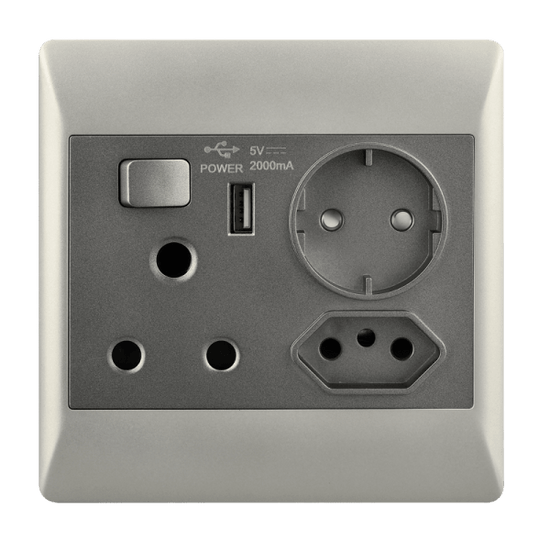
Upgrade your desk, bedroom or workstation with a USB-C and USB-A multi-plug that keeps everyday devices powered without extra adapters.
Shop the USB-C Multi-PlugUSB-C multi-plug buying checklist
- Socket count: Make sure there are enough RSA plug sockets for your setup.
- USB ports: Choose a unit with USB-C and USB-A if your household uses both cable types.
- Power rating: Check the amp rating and avoid overloading the unit.
- Device mix: Think about phones, tablets, laptops, lamps, routers and monitors.
- Placement: Choose a position that avoids cable hazards and keeps plugs accessible.
- Safety: Keep the multi-plug dry, undamaged and used within its rating.
- Future use: USB-C is increasingly common, so it is worth choosing a setup that supports it.
Where can you buy a USB-C multi-plug in South Africa?
You can buy a USB-C multi-plug in South Africa online from Future Light. The 16A Multi-Plug with USB-C and USB-A is a practical option for homes, offices, bedrooms, workstations and shared charging spaces.
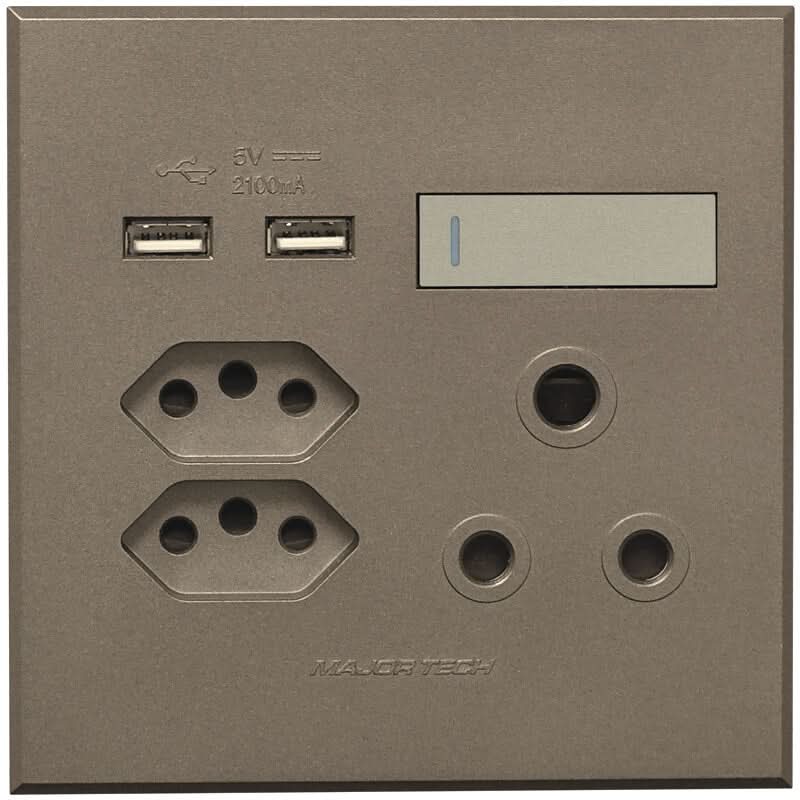
It is useful for anyone who wants to reduce adapter clutter while still keeping standard South African plug sockets available. With four RSA power sockets plus USB-C and USB-A charging, it suits the mixed-device reality of most modern homes and offices.
If you are upgrading a desk or bedroom charging setup, this is a simple product that can make daily use much easier. Add it where you charge devices most often, route the cables neatly, and you will immediately have a cleaner, more useful power point.
Key takeaways
- USB-C multi-plugs are useful for modern homes, offices, bedrooms and workstations.
- USB-C is common on newer phones, tablets, accessories and charging devices.
- A multi-plug with USB-C and USB-A reduces the need for separate charging adapters.
- Four RSA sockets plus USB charging gives good flexibility for mixed-device setups.
- Always use a multi-plug within its rated capacity and avoid overloading it.
- Place the multi-plug where you charge devices daily to reduce cable clutter.
Frequently asked questions about USB-C multi-plugs
What is a USB-C multi-plug used for?
A USB-C multi-plug is used to power standard plug-in devices while also charging USB-C and USB-A devices directly. It is useful for desks, bedrooms, lounges, offices and workstations.
Is USB-C better than USB-A?
USB-C is more modern, reversible and widely used on newer devices. USB-A is still useful for older cables and accessories, so a multi-plug with both USB-C and USB-A gives better flexibility.
Can I charge my phone directly from a USB-C multi-plug?
Yes, if your phone uses a compatible USB-C charging cable and the multi-plug provides a USB-C charging port, you can charge directly without using a separate charging brick.
Is a 16A multi-plug suitable for home and office use?
A 16A multi-plug is suitable for many everyday home and office setups when used within its rated capacity. Avoid overloading it with too many high-power devices.
Where should I use a USB-C multi-plug?
Use a USB-C multi-plug in places where devices are charged often, such as home offices, bedside tables, lounges, reception counters, workstations and student rooms.
Does a USB-C multi-plug reduce clutter?
Yes, it can reduce clutter by replacing separate USB charging bricks with built-in USB-C and USB-A ports, leaving the standard sockets free for plug-in devices.
Can I use a USB-C multi-plug for high-power appliances?
Always check the product rating and the appliance requirements before using high-power appliances. Multi-plugs should not be overloaded or used beyond their intended capacity.
Where can I buy a USB-C multi-plug in South Africa?
You can buy the 16A Multi-Plug with USB-C and USB-A from Future Light online, suitable for South African homes, offices and workstations.
Conclusion
Upgrading to a USB-C multi-plug is a simple way to make your home or office charging setup neater, more modern and more practical. As more devices move to USB-C, having built-in USB-C charging ports helps reduce adapter clutter and keeps standard plug sockets available.
The 16A Multi-Plug with USB-C and USB-A is a useful everyday option for South African desks, bedrooms, lounges and workstations. It combines four RSA sockets with USB-C and USB-A charging, giving you a cleaner setup for mixed modern devices.
Explore the 16A Multi-Plug with USB-C and USB-A, browse more electrical products, or contact Future Light if you need help choosing practical power and charging solutions.


